

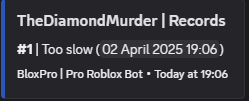
 After you have completed the quota check, you can then reset it, which will restart the time period you specified and clear everyones quota points
The Basics
Using the Quota System
The Quota System guide
The quota system is where you give certain roles a certain amounts of quota points they have to have in a given time period. This system can be used to make sure that your staff are active, and you can give them quota points if they attend events for example. To set a minimum requirement for quota points for a rank:
You also need to enable the quota for that rank
After that, you need to define how long everyone has to accumulate the quota points
Once thats done, you are all set, to give users quota points:
They can then check their quota, or you can check theirs
After the quota time is up, you can then do a quota check, to see who has completed it and who hasn’t
After you have completed the quota check, you can then reset it, which will restart the time period you specified and clear everyones quota points
After you have completed the quota check, you can then reset it, which will restart the time period you specified and clear everyones quota points